For families near or far

Budget together, even when you're continents apart.

One shared budget for the whole family — bills, savings goals and debt, in any currency. Whether you're under one roof or between Lagos, London and Toronto, everyone sees the same numbers. No bank connection needed. No ads.

Built for couples · families · roommates · families abroad ₦$£€₹C$
Sound familiar?

Family money gets messy fast

Especially when the family is spread across homes, cities or countries.

Shared Savings puts it all in one place everyone can see. See how →

One app, the whole money picture

Everything your household needs to stay on track

Not just a budget. Bills, goals, debts and investments — shared with the people you live and plan with.

Plan ahead

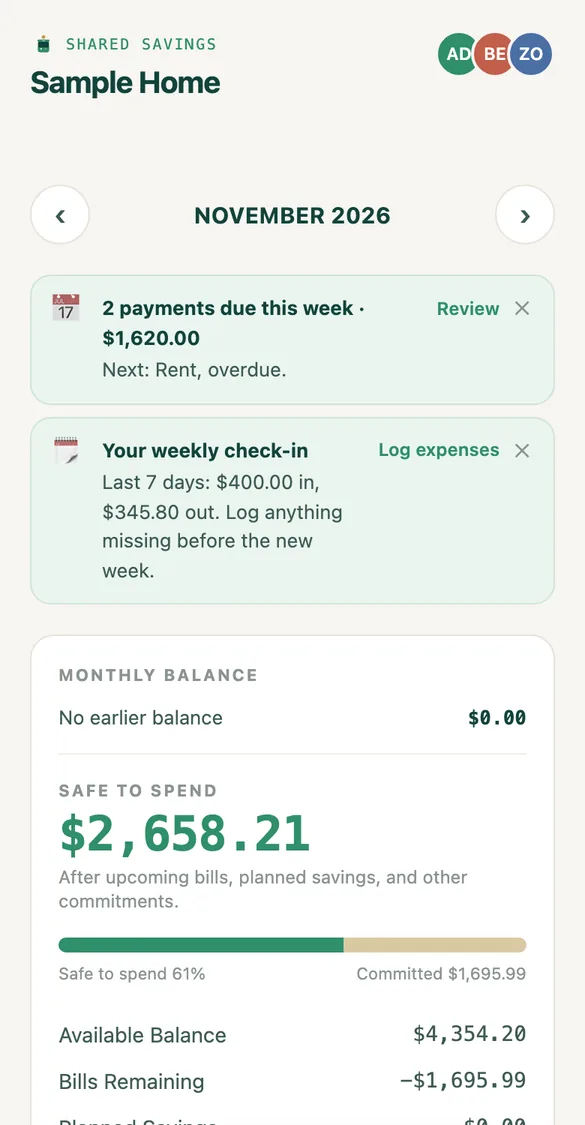
Know what's left before the month runs out

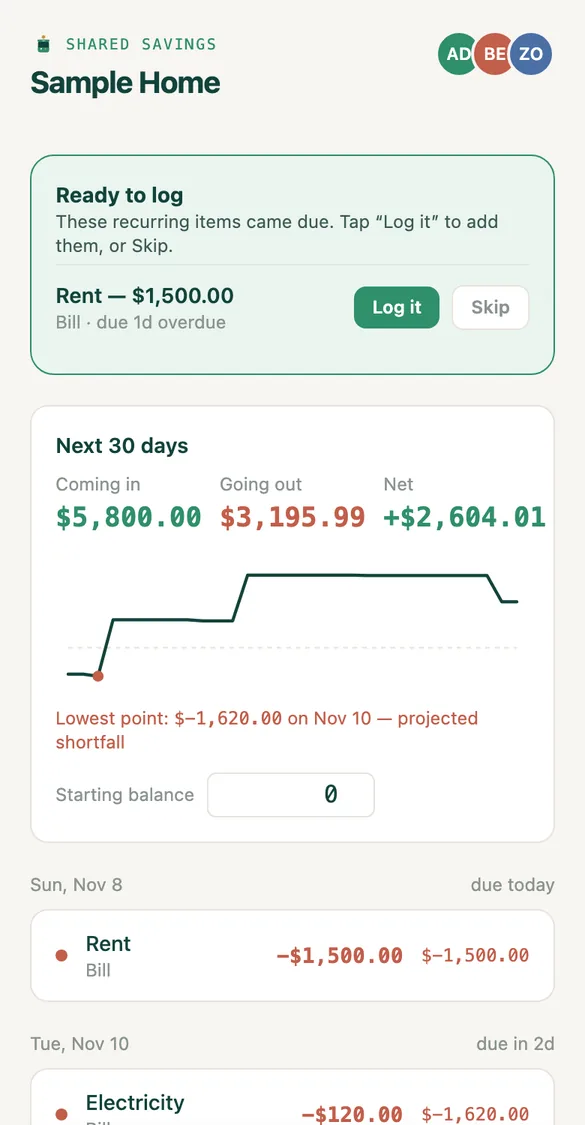
Shared Savings looks ahead at the next 30 days of pay and bills, so you can see a shortfall coming and fix it early.

  • “Safe to spend” after bills and savings
  • Recurring income and bills logged in one tap
  • A clear warning before money runs short
Try it free
Upcoming screen showing the next 30 days
Near or far

Everyone sees the same numbers

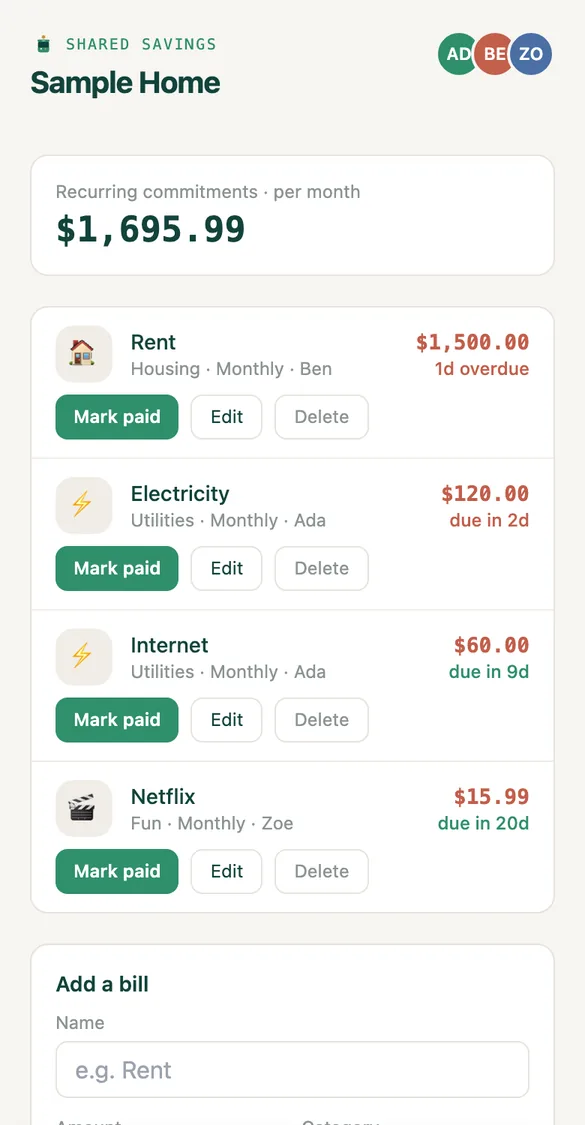
Invite your partner, parents, siblings or flatmates with a simple code. Whether they're in Lagos, London or Toronto, the household stays in sync.

  • As many members as your household needs
  • Each person can log in their own currency
  • See who paid what — no more guessing
Create your household
Bills screen with members
Less typing

Import your bank statement in seconds

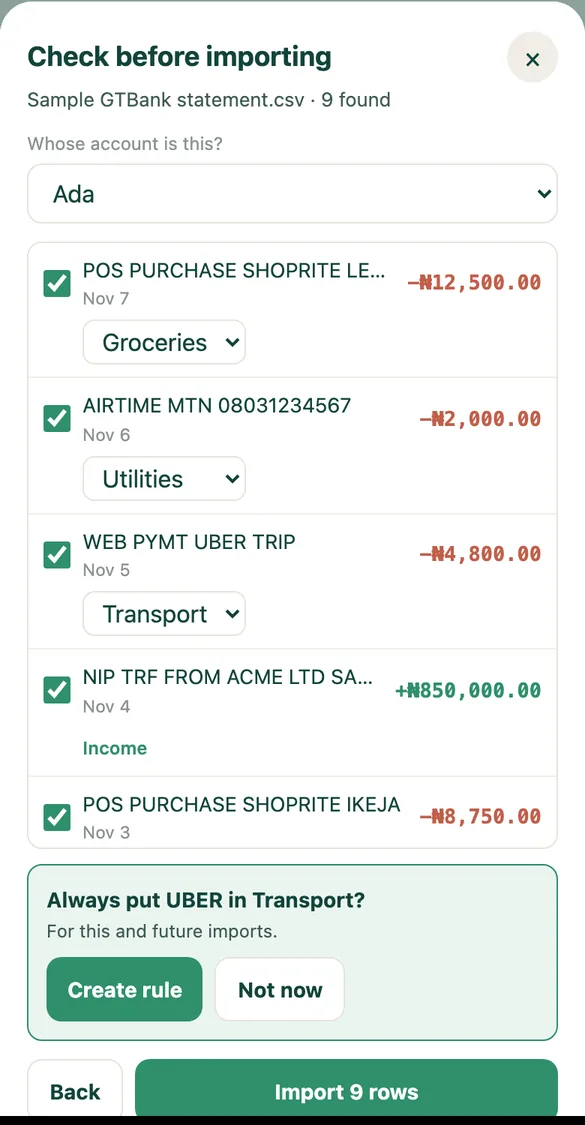
Download a CSV statement from your bank and drop it into Shared Savings. Tick the rows you want and they're added for you — no bank login, no connection.

  • Read on your device — your statement is never uploaded
  • Learns your categories: "Always put Uber in Transport?"
  • Catches duplicates, and you can undo a whole import

Available on the web app. Works with CSV statements from most banks (save Excel files as CSV first).

Open the web app
Bank statement import: ticking rows before importing
Ask in plain words

Ask AI about your household's money

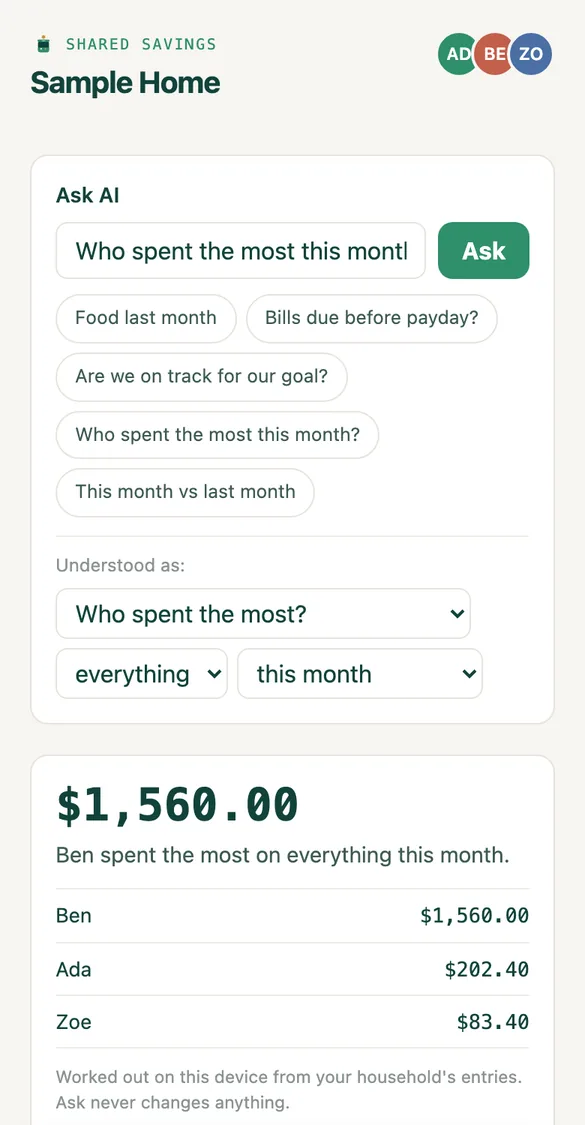
Type a question and get the answer straight away, worked out from your household's own numbers.

  • "How much did we spend on food last month?"
  • "Bills due before payday?" · "Are we on track for our goal?"
  • Private: answered on your device, nothing is sent to an outside AI service
Try it free
Ask AI answering who spent the most this month
Saving together calculator

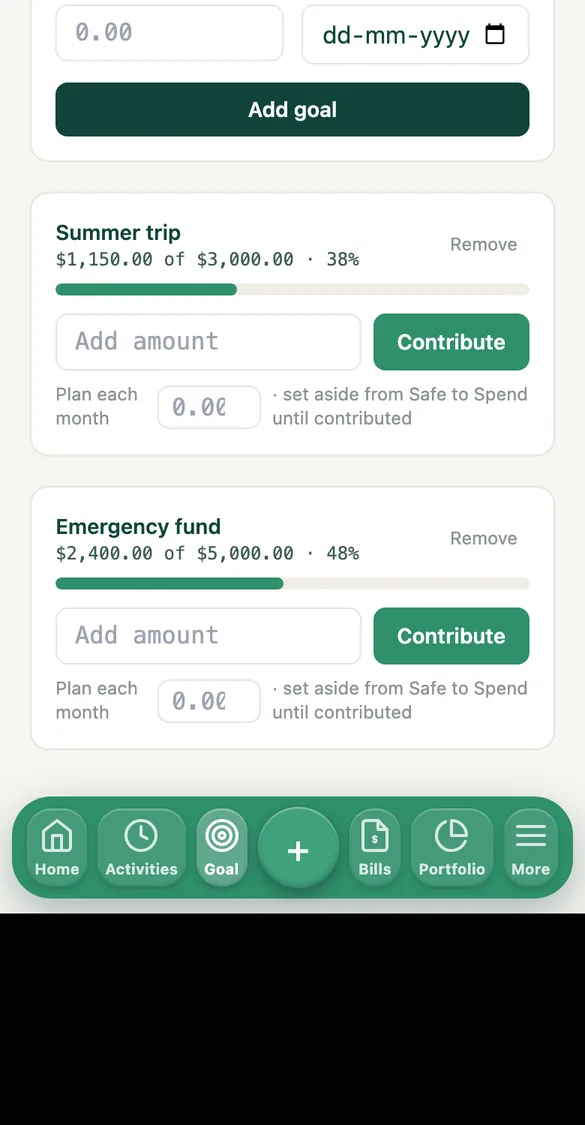
See what you can save as a household

Small amounts from everyone add up fast. Try it.

An illustration only — what you put aside, with no interest or returns assumed.

Together, your household saves
$2,400
$200 a month · $1,200 from each person
Start this goal →
Private by design

Your money stays yours

We built Shared Savings so you never have to hand over bank access to stay organised.

No bank connection neededLog entries yourself or import a statement — we never require bank logins, card numbers or account access.
No ads, no data sellingYour household's numbers are never sold or used for advertising.
Encrypted backupsPasswords are stored encrypted and your data is backed up, encrypted, every day.
You're in controlDelete your account and its data from inside the app, any time.
Made for real households

Built for the way you actually live

How it works

Up and running in two minutes

1

Create your household

Solo or shared — pick a name and your currency. No bank details needed.

2

Invite with a code

Send a short code by WhatsApp, text or email. Everyone joins the same household.

3

Log together

Add spending, bills and goals as they happen and watch the picture fill in.

FAQ

Frequently asked questions

Is Shared Savings really free?

Yes — every feature you need to track your household's money together is free to use.

Do you connect to my bank account?

No. You and your household enter expenses, income, and bills yourselves, and we never require bank logins, card numbers, or account access.

Can my whole family join, not just one other person?

Yes. Invite as many household members as you want with a simple code — everyone sees the same shared budget, bills, and goals update in real time.

Does it work if my family lives in different countries?

Yes. Shared Savings supports multiple currencies, so families spread across countries — including diaspora households — can track money together even when everyone spends in a different currency.

Can I import my bank statement?

Yes. On the web app, choose a CSV statement downloaded from your bank and tick the rows to keep — they're added as entries. The file is read on your device and never uploaded, duplicates are caught, and you can undo a whole import. No bank login or connection is needed.

What is Ask AI?

Ask AI lets you ask questions about your household's money in plain words, like "How much did we spend on food last month?" or "Are we on track for our goal?". Answers are worked out on your device from your household's own entries, and nothing is sent to an outside AI service.

Do you sell my data or show ads?

No. We don't sell your data and we don't run ads. See our Privacy Policy for exactly what we store and why.

What devices does it work on?

Use Shared Savings in your browser on any phone or computer, or get the iPhone and Android apps. See our Get the app page.

How do I get help if something's not working?

Visit our Support page or email support@sharedsavings.app — we read every message.

The whole family's money, in one place

Free to use. No bank connection needed. No ads.

Create your household — free →